Intermixtechnologies

Categories
Uncategorized

2GIG Alarm Systems: What Homeowners & Businesses Need to Know

2GIG alarm systems are one of the most widely used security platforms for homes and small businesses. Known for their ease of use and smart features, these systems have become a popular choice across Jackson, Madison, Ridgeland, and Central Mississippi.

But like any technology, understanding how your system works—and when it may be time to upgrade—is key to maintaining reliable protection.

What Is a 2GIG Alarm System?

A 2GIG system is a wireless security system designed to provide intrusion detection, mobile access, and smart home integration.

These systems typically include:

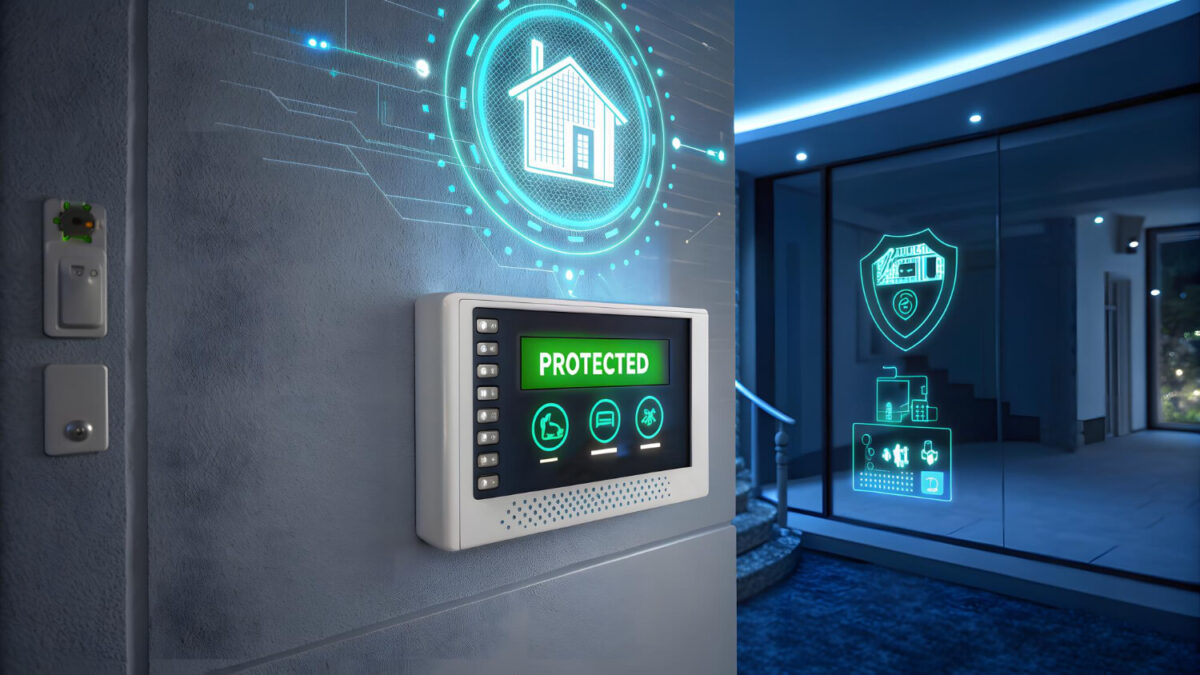
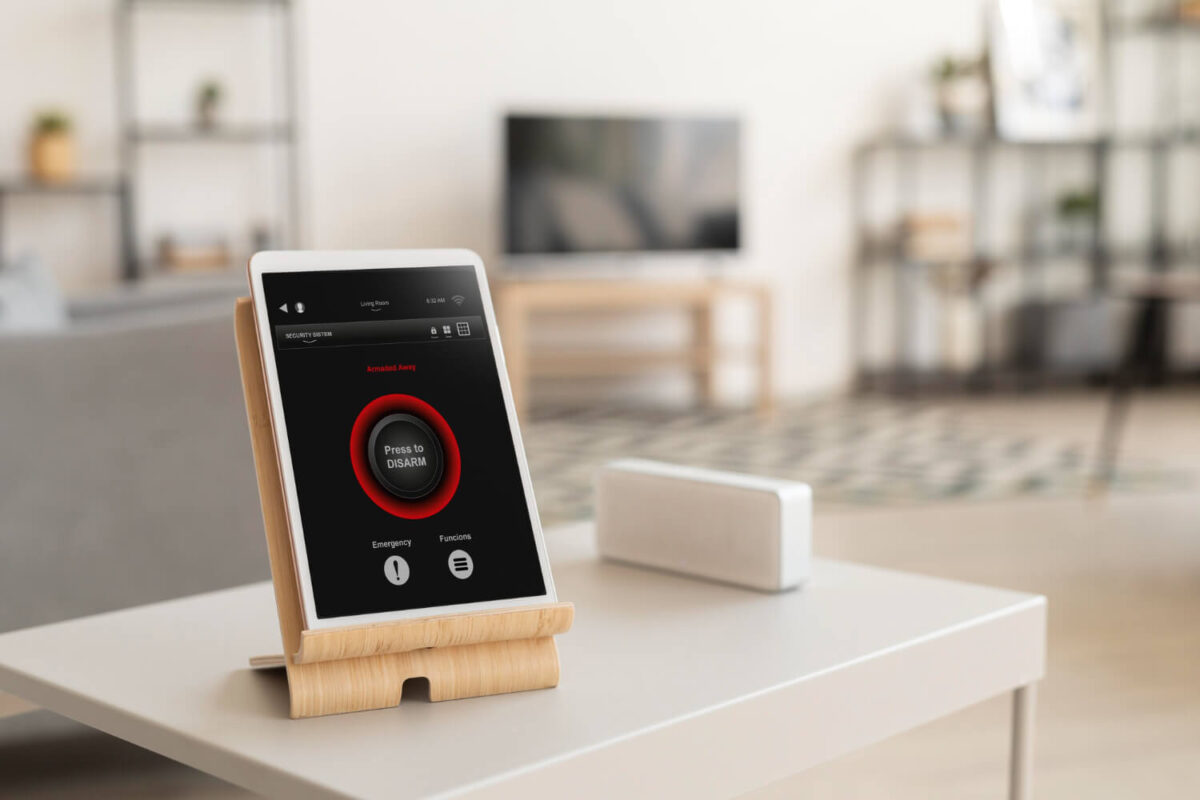
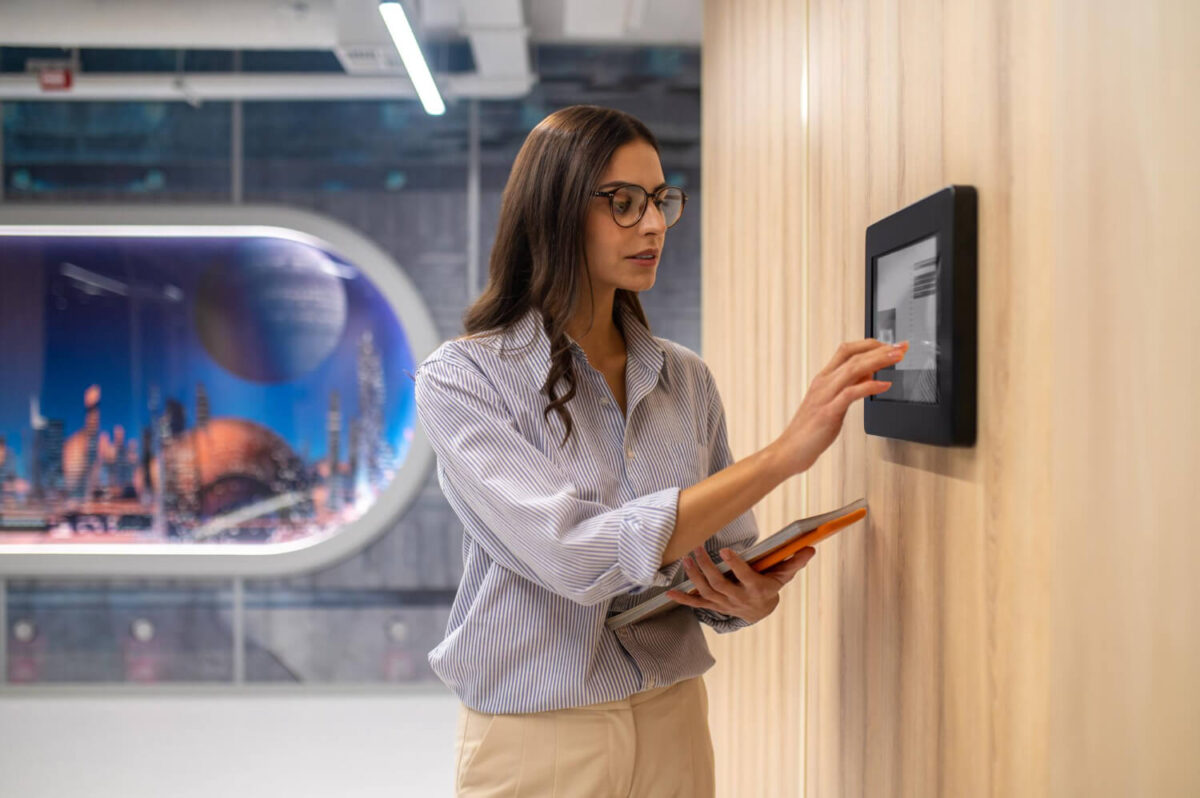
  • A central control panel (touchscreen interface)
  • Door and window sensors
  • Motion detectors
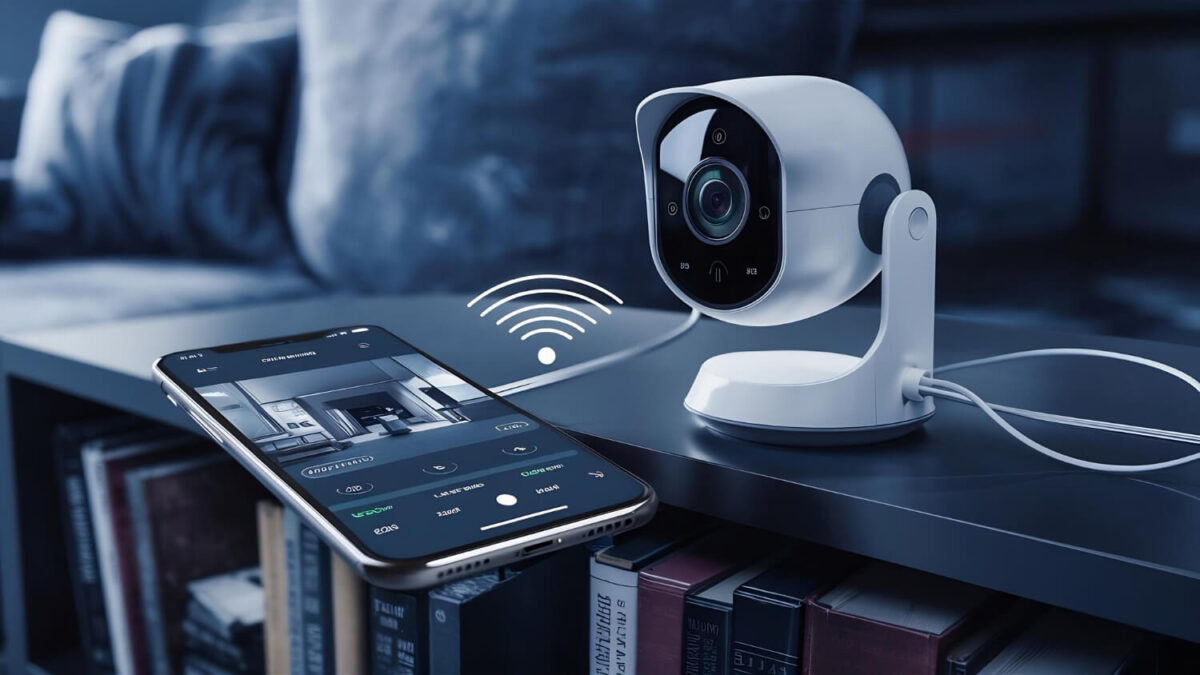
  • Mobile app connectivity
  • Optional camera and automation integration

2GIG systems are commonly used in residential properties and light commercial environments.

Key Features of 2GIG Alarm Systems

2GIG systems are designed for convenience and accessibility while still providing strong security.

Wireless Installation

No need for extensive wiring, making installation faster and more flexible.

Touchscreen Control Panels

User-friendly interfaces make it easy to arm, disarm, and manage your system.

Mobile App Integration

Control your system remotely, receive alerts, and monitor activity in real time.

Smart Home Compatibility

Integrates with lighting, locks, and other smart devices for added control.

Benefits of 2GIG Systems

2GIG systems offer several advantages for homeowners and small business owners:

  • Easy to use and manage
  • Flexible installation options
  • Remote access and control
  • Scalable for additional devices
  • Reliable performance when properly maintained

For many properties, these systems provide a solid balance between convenience and security.

Common Issues with 2GIG Systems

Like any alarm system, 2GIG systems can develop issues over time.

Battery Alerts and Beeping

Low batteries in sensors or the main panel can trigger frequent alerts.

Connectivity Issues

Problems with cellular or internet connections can affect monitoring.

Outdated Communication Modules

Older systems may rely on networks that are no longer supported.

Sensor Malfunctions

Wear and tear can cause sensors to misalign or fail.

Regular maintenance helps prevent these issues from affecting performance.

When to Upgrade Your 2GIG System

If your system is several years old, it may be time to consider an upgrade.

Signs you may need to upgrade include:

  • Frequent trouble alerts or beeping
  • Lack of reliable mobile access
  • Outdated communication technology
  • Limited integration with modern devices
  • Difficulty maintaining or repairing components

Modern systems offer improved reliability, faster alerts, and better integration across all security features.

2GIG Systems vs Modern Security Platforms

While 2GIG systems remain effective, newer platforms offer:

  • Enhanced mobile functionality
  • Improved monitoring reliability
  • Better integration with cameras and access control
  • More advanced automation features

Upgrading can provide a more seamless and dependable security experience.

Alarm System Installation & Upgrades in Jackson, MS

Intermix Technologies installs, services, and upgrades 2GIG alarm systems across Jackson, Ridgeland, Madison, Flowood, and surrounding Central Mississippi areas.

We provide:

  • Alarm system installation
  • System upgrades and replacements
  • 24/7 monitoring services
  • Integration with cameras and access control

With over 25 years of experience, we help ensure your system is reliable, easy to use, and built for long-term performance.

If your system is outdated—or not performing like it should—it may be time for an upgrade.

📞 Call 601-605-1057

📩 Request a Security Assessment
Categories
Uncategorized

What Is Access Control & Why Businesses in Jackson, MS Need It

Traditional locks and keys are no longer enough for most businesses.

As companies grow, managing who has access to a building, when they can enter, and how that access is tracked becomes a critical part of security.

This is where access control systems come in.

What Is an Access Control System?

An access control system is a security solution that manages and restricts entry to a building, room, or specific area.

Instead of physical keys, access is controlled through:

  • Keycards or fobs
  • Mobile credentials
  • PIN codes
  • Biometric authentication (in some systems)

Permissions can be assigned based on:

  • Employee role
  • Time of day
  • Specific locations within a facility

How Access Control Works

At a basic level, access control systems include:

  • Credential (card, phone, or code)
  • Reader (device at the door)
  • Control panel/software (manages permissions)
  • Electronic locking hardware

When a credential is presented, the system verifies permissions and either grants or denies access instantly.

All activity is logged, creating a record of:

  • Entry times
  • User activity
  • Access attempts

Why Businesses Are Moving Away from Keys

Traditional keys create several challenges:

  • Lost or stolen keys
  • No way to track who accessed a space
  • Expensive rekeying when employees leave
  • No control over access timing

Access control systems eliminate these issues by allowing businesses to:

  • Add or remove access instantly
  • Track activity in real time
  • Control access remotely.

Key Benefits of Access Control Systems

Improved Security

Only authorized individuals can enter specific areas, reducing internal and external risk.

Real-Time Visibility

Business owners and managers can see:

  • Who accessed the building
  • When access occurred
  • Any denied or suspicious attempts

Scalable for Growth

Access control systems can expand as your business grows—adding doors, users, and locations without replacing the system.

Remote Management

Modern systems allow administrators to:

  • Grant or revoke access from anywhere
  • Lock or unlock doors remotely
  • Manage multiple locations from one platform

Common Applications for Access Control

Access control is used across a wide range of industries, including:

  • Office buildings and corporate facilities
  • Warehouses and industrial sites
  • Medical offices and healthcare facilities
  • Retail stores and multi-tenant spaces
  • Schools, churches, and community buildings

Any business with employees, inventory, or restricted areas can benefit from controlled access.

Types of Access Control Systems

Keycard & Fob Systems

  • Most common solution
  • Easy to manage and scale

Mobile-Based Access

  • Uses smartphones as credentials
  • Reduces need for physical cards

Keypad Systems

  • PIN-based entry
  • Often used for smaller applications or secondary access points

Biometric Systems

  • Fingerprint or facial recognition
  • Used in higher-security environments

Integration with Other Security Systems

Access control becomes significantly more powerful when integrated with other systems.

It can be connected with:

  • Surveillance cameras (video verification of entry)
  • Alarm systems (trigger alerts on forced entry)
  • Monitoring services (real-time response)

This creates a fully integrated security environment, not just a standalone system.

Cost of Access Control Systems

Pricing varies based on system size and complexity.

Typical ranges:

  • Small systems (1–2 doors): $1,500–$5,000
  • Mid-size systems: $5,000–$15,000
  • Large or multi-site systems: $15,000+

Factors that affect cost:

  • Number of doors and entry points
  • Type of credentials used
  • Integration with other systems
  • Software and management platform

Common Mistakes Businesses Make

Businesses often run into issues when they:

  • Use standalone keypad locks instead of full systems
  • Fail to plan for future expansion
  • Don’t integrate access control with cameras or alarms
  • Choose consumer-grade solutions for commercial use

These decisions can limit functionality and create security gaps.

Is Access Control Right for Your Business?

Access control is especially valuable for businesses that:

  • Have multiple employees or departments
  • Need to restrict access to certain areas
  • Want visibility into who enters and exits
  • Operate across multiple locations

As operations grow, managing access manually becomes inefficient and risky.

Final Consideration: Control, Visibility, and Security

Access control systems provide more than just entry management—they provide control and accountability.

Instead of wondering who has access to your building, you have:

  • Complete visibility
  • Immediate control
  • A scalable system that grows with your business

If you’re evaluating access control systems, the right solution depends on your building, operations, and long-term needs.

Request a Security Assessment

or call 601-605-1057 to speak with a security specialist.

Categories
Uncategorized

Top Security Risks for Businesses in Central Mississippi

Every region has its own security challenges—and Central Mississippi is no exception.

For businesses in Jackson, Ridgeland, Madison, and surrounding areas, understanding local security risks is the first step in building an effective protection strategy.

Security systems are most effective when they are designed around real-world risks—not assumptions.

Why Local Risk Matters in Security Design

Security is not one-size-fits-all.

A system that works in one city or environment may not address the risks present in another. Factors such as:

  • Property type
  • Location
  • Business operations
  • Surrounding environment

all influence how a system should be designed.

For businesses in Central Mississippi, certain patterns consistently appear.

After-Hours Break-Ins

One of the most common risks for businesses is unauthorized entry after closing hours.

These incidents often target:

  • Retail stores
  • Offices
  • Warehouses

Common vulnerabilities include:

  • Unmonitored entry points
  • Poor lighting around the building
  • Lack of alarm monitoring

Without a monitored system, response time can be delayed—especially overnight.

Internal Theft & Unauthorized Access

Not all security threats come from outside.

Businesses often face risks related to:

  • Employee access to restricted areas
  • Untracked entry and exit activity
  • Shared or unmanaged keys

Without access control systems, it is difficult to:

  • Limit access by role
  • Track activity
  • Maintain accountability

Limited Visibility Across the Property

Many businesses operate without full visibility of their property.

This includes:

  • Parking lots
  • Rear entrances
  • Storage areas
  • Interior blind spots

Without properly placed cameras, incidents may go:

  • Unnoticed in real time
  • Unresolved due to lack of evidence

Outdated or Incomplete Security Systems

A common issue across Central Mississippi businesses is reliance on outdated systems.

Examples include:

  • Standalone alarms with no monitoring
  • Older camera systems with poor image quality
  • Systems that are no longer maintained or supported

These systems create a false sense of security while leaving critical gaps.

Fire & Environmental Risks

Fire risk is often overlooked in security planning.

Commercial properties may face:

  • Electrical issues
  • Equipment-related fire hazards
  • Unmonitored fire alarm systems

Without proper detection and monitoring, response can be delayed—resulting in significant damage.

Multi-Location & Operational Gaps

Businesses with multiple locations or larger facilities face additional challenges:

  • Inconsistent security across locations
  • Lack of centralized system control
  • Limited visibility into daily activity

Without integrated systems, managing security becomes inefficient and fragmented.

How Businesses Can Reduce Risk

Effective security systems address these risks through layered protection.

This typically includes:

  • Monitored alarm systems for immediate response
  • Surveillance cameras for visibility and documentation
  • Access control systems for managing entry
  • Fire alarm monitoring for life safety protection

When integrated, these systems provide both protection and operational awareness.

The Role of System Design

One of the most important factors in security is how the system is designed.

Proper design ensures:

  • Full coverage of entry points and vulnerable areas
  • Elimination of blind spots
  • Integration between systems

A poorly designed system—regardless of equipment—can leave critical gaps.

Final Consideration: Local Knowledge Matters

Understanding local risk is essential to building an effective security system.

Businesses in Central Mississippi benefit from working with providers who understand:

  • Regional patterns
  • Property types
  • Common vulnerabilities

Security is most effective when it is tailored—not generic.

If you’re evaluating your current security system or identifying potential risks, the best approach is a system designed around your property and operations.

Request a Security Assessment

or call 601-605-1057 to speak with a security specialist.

Categories
Uncategorized

Commercial Security Systems in Jackson, MS: A Complete Guide for Businesses

Security is no longer optional for businesses in Jackson, Mississippi—it’s a critical part of protecting employees, assets, and daily operations. From retail stores and office buildings to warehouses and medical facilities, having the right commercial security system in place can prevent loss, improve safety, and give business owners full control over their property.

But not all systems are created equal. Choosing the right solution requires understanding how different components work together and what your specific facility actually needs.

What Is a Commercial Security System?

A commercial security system is a combination of technologies designed to monitor, control, and protect a business property. Unlike residential systems, commercial setups are built for scalability, higher traffic environments, and more complex security demands.

A complete system typically includes:

  • Video surveillance cameras
  • Access control systems
  • Burglar alarm systems
  • 24/7 monitoring services
  • Fire alarm integration

When these systems are integrated, they create a single, reliable security infrastructure that can be managed efficiently.

Key Components of a Modern Business Security System

Video Surveillance Systems

Security cameras allow business owners to monitor activity in real time and review recorded footage when needed. Modern systems offer:

  • High-definition video
  • Remote viewing from mobile devices
  • Motion detection and alerts
  • Coverage for both interior and exterior areas

Access Control Systems

Access control replaces traditional keys with secure, trackable entry systems. Businesses can:

  • Control who enters specific areas
  • Restrict access by time or role
  • Track employee and visitor activity
  • Eliminate risks associated with lost keys

Burglar Alarm Systems

Alarm systems detect unauthorized entry and trigger alerts immediately. These systems can include:

  • Door and window sensors
  • Motion detectors
  • Glass break detection

24/7 Monitoring

Monitoring ensures that when an alarm is triggered, action is taken immediately. This can include:

  • Emergency dispatch notifications
  • Real-time alerts to property owners
  • Continuous system oversight

Why Jackson, MS Businesses Are Upgrading Security Systems

Businesses across Jackson, Ridgeland, Madison, and Flowood are investing in modern security systems for several reasons:

  • Increased property crime awareness
  • Insurance requirements and liability reduction
  • Need for remote management and visibility
  • Employee and customer safety expectations

A professionally installed system not only protects assets but also strengthens overall business operations.

How to Choose the Right Security System for Your Business

Not every business needs the same setup. The right system depends on:

  • Size and layout of the property
  • Type of business (retail, industrial, medical, etc.)
  • Number of employees and access points
  • Level of risk and security concerns

Working with an experienced provider ensures your system is designed correctly from the start, avoiding gaps in coverage or unnecessary complexity.

The Advantage of Integrated Security Systems

One of the biggest mistakes businesses make is installing separate systems that don’t communicate with each other.

An integrated system allows you to:

  • Manage cameras, alarms, and access control from one platform
  • Receive centralized alerts and notifications
  • Improve response times
  • Scale the system as your business grows

This approach is more efficient and provides a higher level of protection.

Professional Installation vs DIY Systems

While DIY security systems may seem cost-effective, they often fall short for commercial applications.

Professional installation provides:

  • Proper system design and coverage
  • Reliable equipment built for commercial use
  • Code compliance (especially for fire systems)
  • Ongoing service and support

For businesses, reliability matters more than upfront savings.

Why Businesses Choose Intermix Technologies

Intermix Technologies has been protecting businesses across Central Mississippi since 1998. With over 6,500 customers served, the company provides:

  • Commercial-grade security system design
  • Professional installation and integration
  • 24/7 monitoring services
  • Local expertise in Jackson and surrounding areas
  • Long-term service and support

Businesses trust Intermix because the systems are built to perform—and built to last.

Get a Commercial Security System Designed for Your Business

Every business has different security needs. The best way to ensure proper protection is to start with a professional assessment.

Intermix Technologies provides customized commercial security solutions throughout Jackson, Ridgeland, Madison, and Central Mississippi.

📞 Call 601-605-1057

📩 Request a Security Assessment

Categories
Uncategorized

Hikvision Security Cameras: What Businesses Need to Know

Hikvision is one of the most widely recognized names in the security camera industry. Many businesses across Jackson, Ridgeland, Madison, and Central Mississippi have installed Hikvision systems for surveillance and monitoring.

While these systems offer strong performance, understanding their capabilities—and when it may be time to upgrade—is important for maintaining reliable security.

What Are Hikvision Security Cameras?

Hikvision cameras are surveillance systems designed for both commercial and residential applications.

They typically include:

  • High-definition and 4K cameras
  • Digital video recorders (DVR/NVR)
  • Remote viewing capabilities
  • Motion detection and alerts

These systems are commonly used in retail, office, industrial, and multi-site environments.

Key Features of Hikvision Systems

Hikvision systems are known for offering strong performance at scale.

High-Resolution Video

Provides clear footage for monitoring and review.

Remote Viewing

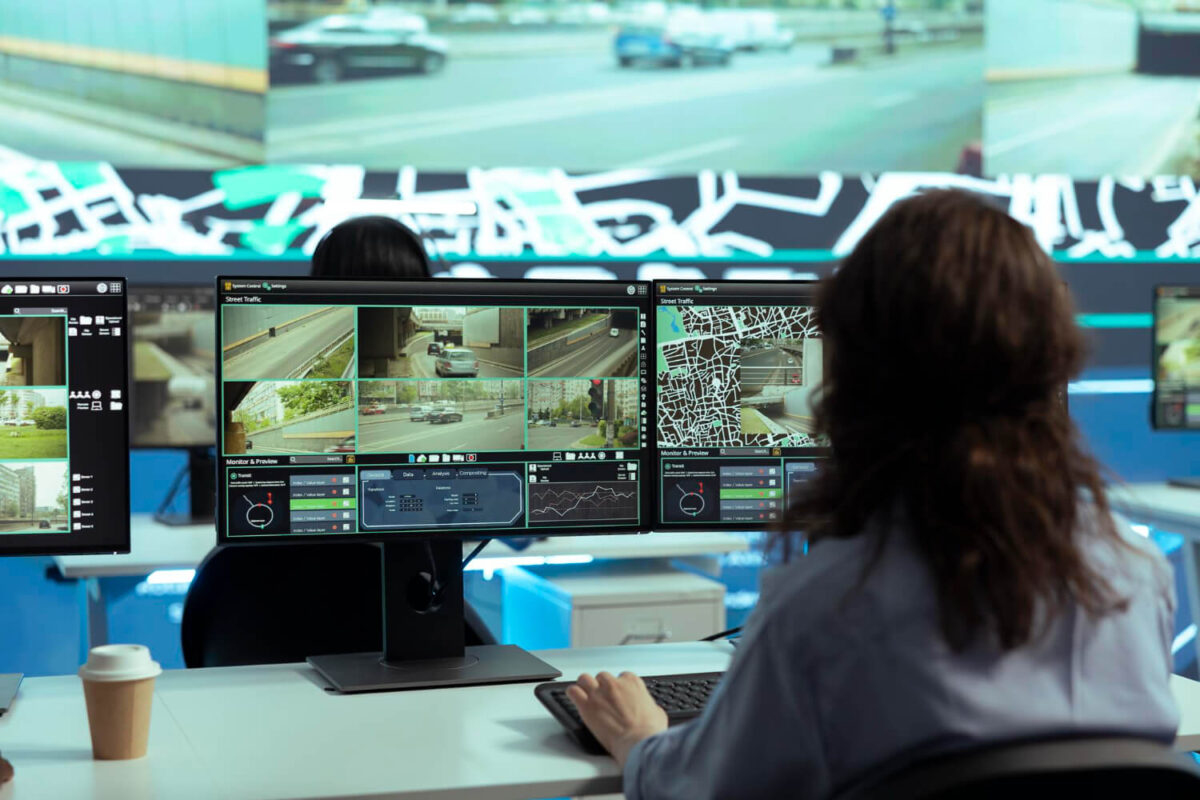
Access live and recorded video from mobile devices or computers.

Motion Detection

Receive alerts when movement is detected.

Scalable Systems

Easily expand coverage as your business grows.

Where Hikvision Systems Are Commonly Used

Hikvision cameras are often installed in:

  • Retail stores and shopping centers
  • Warehouses and industrial facilities
  • Office buildings
  • Restaurants and service businesses
  • Multi-location commercial properties

Their flexibility makes them a common choice for businesses of all sizes.

Considerations for Hikvision Camera Systems

While Hikvision systems are widely used, there are factors businesses should consider:

System Age

Older systems may lack modern features and reliability.

Integration Limitations

Some systems may not integrate easily with newer security technologies.

Performance Over Time

As systems age, reliability and image quality can decline.

System Updates

Keeping systems updated is important for performance and functionality.

When to Upgrade Your Camera System

You may want to upgrade your Hikvision system if:

  • Video quality is outdated
  • Remote access is unreliable
  • Storage or recording is limited
  • System performance is inconsistent
  • You want integration with modern security systems

Upgrading can improve visibility, reliability, and overall security.

Modern Camera Systems vs Older Systems

Newer surveillance systems offer:

  • Improved video clarity and performance
  • Better mobile access and remote control
  • Advanced motion detection and alerts
  • Integration with access control and alarm systems

This creates a more complete and efficient security solution.

Security Camera Installation in Jackson, MS

Intermix Technologies provides professional security camera installation in Jackson, MS for commercial and residential properties.

We provide:

  • Commercial surveillance system design
  • Camera installation and upgrades
  • System expansion and optimization
  • Integration with alarms and access control

With over 25 years of experience, we design systems built for performance, reliability, and long-term use.

If your current system isn’t meeting your needs, it may be time for an upgrade.

📞 Call 601-605-1057

📩 Request a Security Assessment
Categories
Uncategorized

Best Security Camera Systems for Businesses in Jackson, MS

Security cameras are one of the most effective tools for protecting a business—but not all systems are designed for commercial use.

For businesses in Jackson, MS, choosing the right surveillance system comes down to more than just image quality. It’s about coverage, reliability, and how the system supports daily operations.

Why Businesses Need More Than Basic Camera Systems

Many businesses start with off-the-shelf camera systems, only to realize their limitations over time.

Common issues include:

  • Blind spots in coverage
  • Poor image quality in low light
  • Limited storage or playback capability
  • No integration with other security systems

Commercial environments require systems that are built for continuous use, larger spaces, and higher risk exposure.

Key Features of a Commercial Security Camera System

A properly designed business surveillance system should include:

High-Resolution Video

Clear, detailed footage is critical for identifying:

  • Individuals
  • Vehicles
  • Incidents

Most modern commercial systems use HD or 4K cameras for improved clarity.

Night Vision & Low-Light Performance

Many incidents occur after hours. Cameras should perform reliably in:

  • Low-light conditions
  • Complete darkness

Infrared and low-light technology ensure visibility at all times.

Wide Coverage & Strategic Placement

Effective systems are designed to eliminate blind spots and cover:

  • Entry and exit points
  • Parking lots and perimeters
  • Interior high-traffic areas

Proper placement is just as important as the equipment itself.

Remote Access & Mobile Viewing

Business owners and managers should be able to:

  • View live footage
  • Review recorded video
  • Receive alerts

All from a mobile device or desktop platform.

Video Storage & Retrieval

Commercial systems must store footage securely and allow for easy retrieval.

Options include:

  • Local storage (on-site recorders)
  • Cloud-based storage
  • Hybrid systems

Retention periods vary based on business needs and compliance requirements.

Types of Security Cameras for Businesses

Different environments require different types of cameras.

Dome Cameras

  • Common for indoor use
  • Discreet and vandal-resistant

Bullet Cameras

  • Ideal for outdoor use
  • Visible deterrent with long-range capability

PTZ Cameras (Pan-Tilt-Zoom)

  • Allow operators to control camera movement
  • Useful for large areas like warehouses or parking lots

License Plate Recognition (LPR) Cameras

  • Capture and log vehicle plate data
  • Useful for gated properties and high-security environments

Integration with Business Security Systems

The most effective camera systems are part of a larger, integrated solution.

Commercial surveillance can be connected with:

  • Alarm systems
  • Access control systems
  • Motion detection and alerts

This creates a unified system that improves both security and operational awareness.

Industries That Benefit Most from Commercial Surveillance

Businesses across multiple industries rely on camera systems for protection and visibility.

Common applications include:

  • Retail stores and shopping centers
  • Warehouses and industrial facilities
  • Office buildings
  • Medical clinics and facilities
  • Multi-tenant commercial properties

Each environment requires a system tailored to its specific risks and layout.

Common Mistakes Businesses Make

When selecting a camera system, businesses often:

  • Choose consumer-grade equipment for commercial use
  • Underestimate coverage needs
  • Ignore storage and retention requirements
  • Install cameras without a strategic layout

These mistakes can result in gaps in security and reduced system effectiveness.

Cost of Commercial Security Camera Systems

Pricing varies depending on system size and complexity.

Typical ranges:

  • Small systems: $1,000–$3,000
  • Mid-size systems: $3,000–$10,000
  • Large or multi-site systems: $10,000+

Factors that affect cost include:

  • Number of cameras
  • Resolution and features
  • Installation complexity
  • Storage requirements

Choosing the Right System for Your Business

The right surveillance system should be designed around:

  • Building layout and square footage
  • Risk level and exposure
  • Operational needs
  • Future scalability

A properly designed system not only improves security—but also provides visibility into daily operations.

Final Consideration: Equipment vs. System Design

The effectiveness of a camera system is not just about the cameras—it’s about how the system is designed and implemented.

Businesses that invest in properly designed systems gain:

  • Better coverage
  • More reliable performance
  • Stronger long-term value

If you’re evaluating security camera systems for your business, the most effective approach is a system designed around your facility—not a pre-packaged setup.

Request a Security Assessment

or call 601-605-1057 to speak with a security specialist.

Categories
Uncategorized

How to Protect Your Home During Holiday Travel

The holidays are one of the busiest travel seasons of the year—and unfortunately, one of the most common times for home break-ins.

When homes sit empty for days at a time, they become easy targets. For homeowners in Jackson, Madison, Ridgeland, and across Central Mississippi, the right security setup can make all the difference.

With proper planning and a professionally installed alarm system, you can travel with confidence knowing your home is protected.

Why Homes Are More Vulnerable During Holiday Travel

During the holidays, several factors increase security risks:

  • Homes left unattended for extended periods
  • Increased online sharing of travel plans
  • Reduced neighborhood activity
  • Packages and deliveries left outside

Burglars often look for patterns that signal a home is empty. The goal is to eliminate those signals and create the appearance of an occupied home.

Test Your Alarm System Before You Leave

Before traveling, perform a full system check.

Make sure:

  • Your alarm panel is functioning properly
  • Door and window sensors are active
  • Motion detectors are working
  • Your mobile app is connected and sending alerts

A quick test ensures your system is ready when you need it most.

Enable Real-Time Alerts and Notifications

Modern alarm systems allow you to customize alerts.

Before leaving town:

  • Turn on notifications for all activity
  • Enable alerts for doors, windows, and motion
  • Monitor system activity through your mobile app

This allows you to respond quickly if anything unusual happens while you’re away.

Use Smart Automation to Make Your Home Look Occupied

One of the most effective security strategies is making your home appear lived-in.

You can do this with:

Smart Lighting

Program lights to turn on and off at different times in the evening.

Smart Devices

Use smart plugs to power TVs or radios periodically.

Exterior Lighting

Keep porch and driveway lights on overnight to increase visibility and deter intruders.

These small details can significantly reduce your risk.

Avoid Sharing Travel Plans Publicly

Posting vacation updates in real time can unintentionally signal that your home is empty.

Instead:

  • Share photos after you return
  • Communicate travel plans privately
  • Ask a trusted neighbor to keep an eye on your property

Awareness alone can prevent unnecessary risk.

Secure All Entry Points

Even the best alarm system works best when paired with strong physical security.

Before leaving:

  • Lock all doors and windows securely
  • Reinforce sliding doors with a bar or dowel
  • Check garage doors and side entrances
  • Secure basement or less-used entry points

Layering physical security with your alarm system creates stronger protection.

Install or Utilize Security Cameras

Security cameras add an extra layer of visibility and control.

Place cameras to monitor:

  • Front and back entrances
  • Driveways
  • Garages
  • Ground-level windows

With mobile access, you can:

  • View live footage
  • Receive motion alerts
  • Verify activity instantly

Cameras not only deter crime—they provide real-time awareness.

Confirm Your 24/7 Monitoring Is Active

If your system is professionally monitored, double-check your account details before leaving.

Make sure:

  • Your contact information is current
  • Emergency contacts are updated
  • Monitoring is active and functioning

This ensures a fast response if an alarm is triggered while you’re away.

Consider Upgrading Your Home Security System

If your system is outdated, the holidays are a good time to upgrade.

Modern systems offer:

  • Smartphone control
  • Real-time alerts
  • Camera integration
  • Reliable cellular monitoring

Upgrading can provide better protection and peace of mind—especially during extended travel.

Home Security Systems in Jackson, MS

Homeowners across Central Mississippi trust Intermix Technologies for reliable, easy-to-use security systems.

We provide:

  • Alarm system installation
  • 24/7 monitoring services
  • Security camera systems
  • Smart home integration

With over 25 years of experience, we help homeowners protect what matters most—whether they’re home or away.

Travel with confidence knowing your home is protected.

📞 Call 601-605-1057

📩 Request a Security Assessment
Categories
Uncategorized

Home Security Systems in Jackson, MS: What Actually Protects Your Home?

Home security has become more accessible—but accessibility doesn’t always equal effectiveness.

For homeowners in Jackson, MS, the challenge isn’t finding a system—it’s understanding what actually provides real protection.

What a Home Security System Is Designed to Do

A properly designed home security system should do more than send alerts—it should:

  • Detect intrusion immediately
  • Provide real-time awareness
  • Trigger a response when needed
  • Protect against multiple types of risk

This includes not only break-ins, but also:

  • Fire
  • Unauthorized access
  • Property vulnerabilities

The Core Components of an Effective Home Security System

Not all systems include the same level of protection. A complete residential system typically includes:

Intrusion Detection

  • Door and window sensors
  • Motion detectors
  • Glass break sensors

These form the foundation of any security system.

Alarm System with Monitoring

An alarm system alerts you—but monitoring ensures action is taken.

With monitoring:

  • Alerts are handled immediately
  • Emergency services can be dispatched
  • Protection continues even if you’re unavailable

Security Cameras

Cameras provide:

  • Real-time visibility
  • Recorded footage
  • Deterrence

They are especially useful for:

  • Entry points
  • Driveways
  • Perimeter areas

Mobile Access & Control

Modern systems allow homeowners to:

  • Arm and disarm remotely
  • Receive alerts
  • View cameras in real time

This adds convenience—but also increases awareness.

Why Basic Systems Often Fall Short

Many homeowners install basic or DIY systems expecting full protection—but these systems often have limitations.

Common issues include:

  • Incomplete coverage
  • Missed alerts or delayed notifications
  • No professional response
  • Poor performance during outages

These gaps are often not obvious until the system is needed.

What Actually Makes a System Effective

The effectiveness of a home security system comes down to three factors:

  1. System Design

Proper placement of sensors and cameras is critical.

Gaps in coverage reduce effectiveness—regardless of equipment quality.

  1. Reliability

Systems should function consistently, including during:

  • Power outages
  • Internet disruptions
  • Severe weather

Professional systems often include backup communication and power.

  1. Response Capability

Detection alone is not enough.

A system should ensure:

  • Alerts are received
  • Action is taken
  • Response happens quickly

DIY vs. Professionally Installed Systems

Homeowners often compare DIY systems with professionally installed solutions.

DIY systems:

  • Lower upfront cost
  • Self-installed and self-monitored
  • Best suited for smaller or lower-risk properties

Professional systems:

  • Designed specifically for the home
  • Include monitoring and response
  • Provide greater reliability and coverage

As home size and risk increase, professionally installed systems tend to provide more consistent protection.

Common Security Risks for Homeowners

Homes in Central Mississippi face several common risks:

  • Break-ins through doors or accessible windows
  • Package theft and exterior activity
  • Unmonitored access points
  • Fire-related incidents

A properly designed system addresses these risks with layered protection, not just a single device.

Cost of Home Security Systems

Residential system costs vary depending on the level of protection.

Typical ranges:

  • Basic systems: $300–$800
  • Mid-range systems: $800–$2,500
  • Advanced systems: $2,500+

Monitoring services typically range from:

  • $20–$60 per month

Cost increases with:

  • Home size
  • Number of devices
  • Integration with cameras or smart systems

Choosing the Right System for Your Home

The right system should be based on:

  • Home layout and size
  • Entry points and vulnerabilities
  • Occupancy (full-time vs. travel)
  • Desired level of control and monitoring

A properly designed system focuses on coverage and reliability—not just equipment.

Final Consideration: Real Protection vs. Basic Alerts

Many systems provide notifications—but not all provide protection.

A complete home security system delivers:

  • Detection
  • Awareness
  • Response

For homeowners who want consistent, reliable protection, system design and monitoring make the difference.

If you’re evaluating home security systems, the most effective solution is one designed specifically for your home—not a generic setup.

Request a Security Assessment

or call 601-605-1057 to speak with a security specialist.

Categories
Uncategorized

How Much Does a Security System Cost in Jackson, MS?

One of the most common questions homeowners and business owners ask is:

👉 “How much does a security system cost?”

The answer depends on several factors—including the size of your property, the type of system you need, and whether you choose monitoring.

For properties in Jackson, Madison, Ridgeland, and across Central Mississippi, understanding these costs upfront can help you choose the right system without overpaying or under-protecting your property.

Average Cost of Security Systems in Jackson, MS

Security system pricing can vary widely based on your needs.

Residential Systems

  • Basic alarm systems: $200 – $600+
  • Professionally installed systems: $500 – $2,500+

Commercial Systems

  • Small business systems: $1,000 – $5,000+
  • Larger or multi-site systems: $5,000 – $25,000+

These ranges depend heavily on customization and system complexity.

What Impacts the Cost of a Security System?

Several factors determine the final price of your system:

Property Size and Layout

Larger properties require more sensors, cameras, and coverage.

Number of Entry Points

More doors and windows = more protection needed.

Type of System

  • Alarm systems
  • Security cameras
  • Access control
  • Fire systems

Each adds to the overall cost.

Level of Integration

Integrated systems (alarm + cameras + access control) cost more upfront—but provide better long-term value.

Cost of Alarm Monitoring Services

Monitoring is typically a monthly cost.

Typical Monitoring Costs

  • Basic monitoring: $20 – $40/month
  • Advanced monitoring: $40 – $60+/month

Monitoring provides:

  • 24/7 protection
  • Emergency response
  • Continuous system oversight

Without monitoring, your system relies entirely on you to respond.

Security Camera System Costs

Camera system pricing depends on coverage and quality.

Typical ranges:

  • Small systems: $500 – $2,000+
  • Commercial systems: $2,000 – $10,000+

Factors include:

  • Number of cameras
  • Resolution (HD vs 4K)
  • Storage and recording needs
  • Installation complexity

Access Control System Costs for Businesses

Access control systems are typically used in commercial environments.

Typical costs:

  • Small systems: $1,000 – $3,000+
  • Multi-door systems: $3,000 – $15,000+

Pricing depends on:

  • Number of doors
  • Type of credentials (cards, fobs, mobile)
  • System complexity

DIY vs Professional Installation Costs

DIY systems may seem cheaper upfront—but often lack:

  • Proper coverage design
  • Reliable equipment
  • Integration with monitoring
  • Long-term support

Professional systems cost more initially—but provide:

👉 Better protection

👉 Fewer issues

👉 Long-term reliability

How to Get an Accurate Security System Quote

Every property is different—so exact pricing requires a customized assessment.

The fastest way to get accurate pricing is to:

  • Identify your property type
  • Determine what systems you need
  • Get a professional recommendation

👉 Soon, you’ll be able to configure your system online and get real-time pricing directly from our website—making it easier than ever to plan your security setup.

👆 (This sets up your future tool perfectly)

Security System Installation in Jackson, MS

Intermix Technologies provides custom security system design and installation for homes and businesses across Central Mississippi.

We provide:

  • Alarm systems
  • Security cameras
  • Access control systems
  • Fire alarm systems
  • 24/7 monitoring

With over 25 years of experience, we help you build a system that fits your property and your budget.

Get a system designed for your property—with pricing you can understand.

📞 Call 601-605-1057

📩 Request a Security Assessment
Categories
Uncategorized

Wired vs. Wireless Security Systems: Which Is Better for Your Property?

When choosing a security system, one of the most important decisions is whether to go with a wired or wireless setup.

Both options offer protection—but they differ significantly in reliability, performance, and long-term scalability.

For property owners in Jackson, MS, the right choice depends on how the system will be used and what level of protection is required.

What Is a Wired Security System?

A wired security system uses physical cabling to connect all components, including:

  • Sensors
  • Cameras
  • Control panels
  • Network infrastructure

These systems are typically installed during construction or major renovations, but can also be retrofitted in some cases.

What Is a Wireless Security System?

Wireless systems use radio signals or Wi-Fi to communicate between devices.

They include:

  • Battery-powered sensors
  • Wireless cameras
  • App-based control systems

Wireless systems are commonly used in:

  • Residential homes
  • Smaller commercial spaces
  • Retrofit installations

Key Differences Between Wired and Wireless Systems

Reliability

Wired systems:

  • Highly stable and consistent
  • Not dependent on Wi-Fi
  • Less susceptible to signal interference

Wireless systems:

  • Depend on signal strength and connectivity
  • May experience interference or dropouts

Installation

Wired systems:

  • Require professional installation
  • Involve running cables through walls or ceilings

Wireless systems:

  • Faster and easier to install
  • Minimal disruption to the property

Maintenance

Wired systems:

  • Lower ongoing maintenance
  • No batteries required for most components

Wireless systems:

  • Require battery replacement
  • Ongoing device management

Scalability

Wired systems:

  • Ideal for large or complex properties
  • Can support extensive infrastructure

Wireless systems:

  • Easier to expand in smaller environments
  • May become less reliable as system size increases

Performance in Real-World Conditions

System performance becomes most important during:

  • Power outages
  • Internet disruptions
  • Severe weather

Wired systems often include:

  • Backup power
  • Dedicated communication paths

Wireless systems may rely on:

  • Wi-Fi networks
  • Battery life
  • Signal strength

As a result, wired systems tend to offer more consistent performance under stress conditions.

Security Considerations

Both systems are secure when properly installed, but they differ in risk exposure.

Wired systems:

  • Harder to tamper with remotely
  • Less vulnerable to signal interference

Wireless systems:

  • Can be affected by signal jamming (in rare cases)
  • Require secure network configuration

Proper system design and installation are critical in both cases.

Cost Comparison

Cost varies depending on system size and complexity.

Wireless systems:

  • Lower upfront cost
  • Faster installation

Wired systems:

  • Higher installation cost
  • Greater long-term durability and reliability

For larger properties, wired systems often provide better long-term value despite higher initial investment.

When to Choose a Wired System

Wired systems are best suited for:

  • Commercial buildings and facilities
  • New construction projects
  • Large homes with complex layouts
  • Properties requiring maximum reliability

When to Choose a Wireless System

Wireless systems are ideal for:

  • Existing homes without pre-installed wiring
  • Smaller properties
  • Quick installations
  • Situations where flexibility is important

Hybrid Systems: The Most Common Solution

Many modern security systems use a hybrid approach, combining wired and wireless components.

For example:

  • Wired infrastructure for core systems
  • Wireless devices for flexibility and expansion

This approach provides:

  • Reliability where it matters most
  • Flexibility where needed

Final Consideration: Which Is Better?

There is no one-size-fits-all answer.

  • Wireless systems offer convenience and flexibility
  • Wired systems offer stability and long-term performance

For most residential applications, wireless or hybrid systems are sufficient.

For commercial and high-demand environments, wired systems are often the preferred solution.

If you’re deciding between wired and wireless security systems, the right solution depends on your property, infrastructure, and long-term needs.

Request a Security Assessment

or call 601-605-1057 to speak with a security specialist.